As many of you may have seen in the last few weeks/months, Windows 10 will be going unsupported in October 2025, so you need to upgrade to Windows 11 (If you want things like security updates and such)
Seems easy…. right?

Right off the bat you may have seen that they are offering a free upgrade to Windows 11. You also might have gotten the “This PC can’t run Windows 11” message like I did.
And since my PC is older, not ancient, just older.. I just thought maybe it’s time to upgrade any way.
So I started putting together another build on Partspicker. I wanted to make sure I was all Windows 11 ready.. but since I already run a big power supply and a Ryzen 7, I figured I’d reuse whatever I could from my system now.
Turns out my current motherboard CAN run 11. But why is it saying it can’t?
Well with YouTube to the rescue, I found that my Bios was not running some settings that Windows 11 needed.
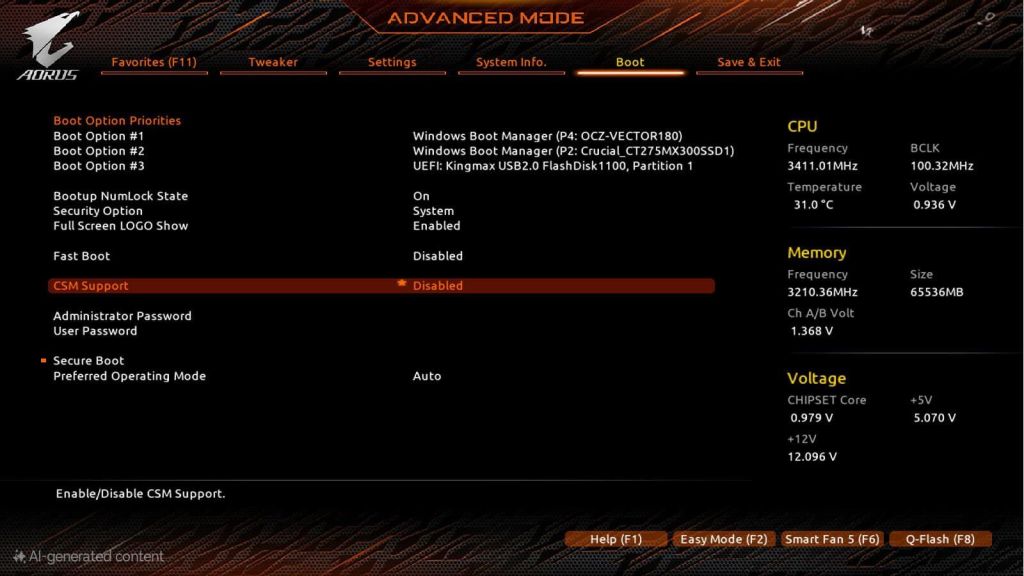
All it took was about 3 minutes of turning on the Secure Boot and TPM (Trusted Platform Module)and restarting. Check out this video.. and this second video for a walk thru
All I did then was went to the Window Update section in my PCs settings and on the side bar was a link to download and install of Windows 11.
All in all, from checking out those videos to switching the Bios, to installing Windows 11 (including the updates) was probably 45 minutes. All my stuff and previous settings intact.
So if you are getting that warning that your PC is not able to upgrade. Check out those videos. As they helped me save about $1000 on something I didn’t need…yet.
 Timelapsed Gamer